

stb dev. Use the compact Overview summary to notice capacity pressure, then open this page to see
which measured resource needs investigation.
Warehouse Health is lightweight diagnostic evidence, not a durable metrics store or a replacement
for ClickHouse monitoring. StreamBuild does not retain these measurements, cancel queries, change
settings, or perform cleanup from this page.
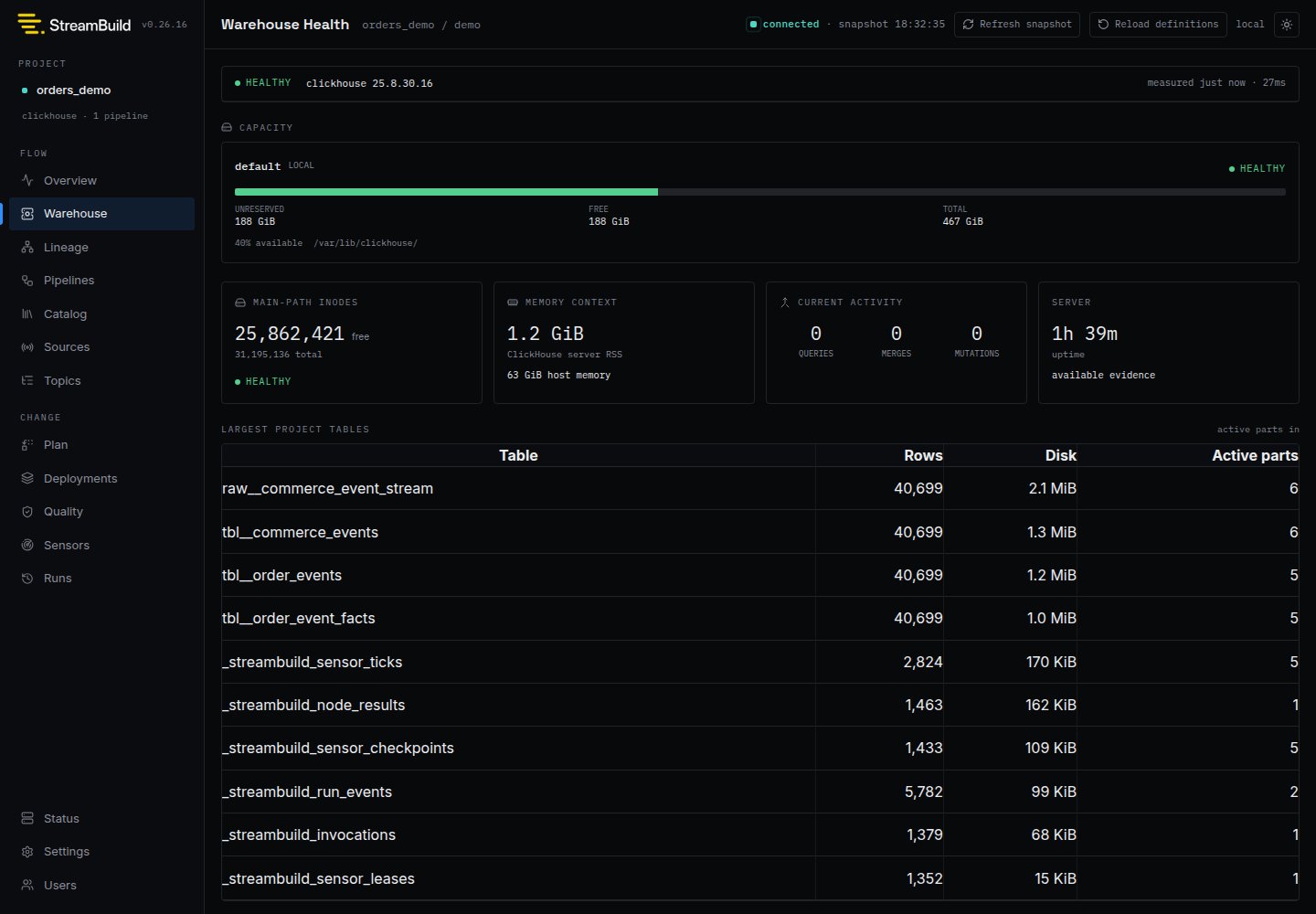
What StreamBuild reads
The snapshot reports:
Table-level measurements are restricted to the selected project database and returned as a bounded
largest-table list. They are not a cluster-wide inventory.
Status and missing evidence
The page distinguisheshealthy, warning, critical, and unknown. Capacity warnings are based
on ClickHouse’s unreserved bytes because merges, inserts, and moves can reserve space that the
filesystem still reports as free.
Missing evidence is never converted to zero or healthy:
- Available means the core capacity snapshot and optional sections were collected.
- Partial means core evidence is usable but an optional measurement could not be read.
- Unavailable means StreamBuild could not collect enough evidence to assess the warehouse.
- Stale means the displayed successful snapshot predates the latest failed refresh.
Responding to capacity pressure
Warehouse Health is intentionally read-only. When it reports low disk or inode capacity:- Stop or reduce avoidable writes and rebuilds.
- Confirm the affected ClickHouse disk and whether unreserved capacity is lower than free capacity.
- Inspect the largest project tables and active part counts for context.
- Use your normal ClickHouse and infrastructure tooling to investigate retention, detached data, logs, snapshots, replication, and filesystem allocation.
- Restore physical headroom before restarting destructive builds or replay.