

- Redpanda creates
source.order_events.livewith exactly three partitions and seven-day retention. - A stateful local producer emits a fixed-key JSON contract with integer quantities and prices.
- ClickHouse retains the source and serves four coherent SQL models.
- Four SQL tests exercise region labels, additive facts, replay deduplication, and expression macros.
- A scheduled warning audit and local console sensor demonstrate failure and natural recovery.
The checked-in project uses direct mode.
stb build replaces its model relations immediately; it
does not create a staged deployment or require promotion.Prerequisites
- Python 3.12 or newer
- Node.js 20.19 or newer and npm
uv- Docker with Compose
Start the demo
From a StreamBuild source checkout:make start builds the producer image, waits for healthy services, creates the topic, and applies
the StreamBuild project. Every published service binds to loopback:
The shared
redpanda.localhost broker name resolves to loopback for the host-side UI and to the
Redpanda service inside Compose. This lets ClickHouse ingest while StreamBuild reads real broker
metadata for Topics and Kafka lag.
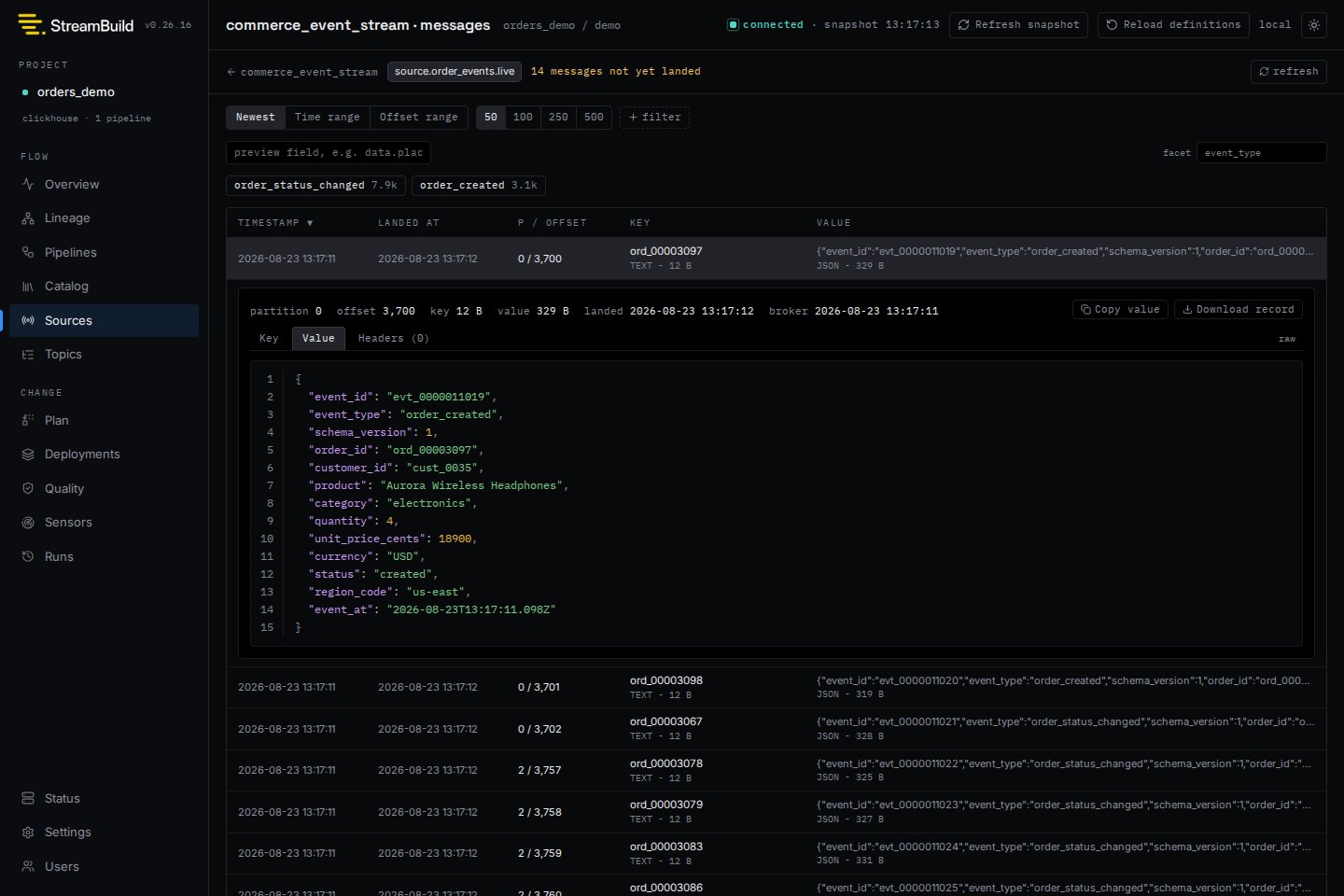
Event contract
Every message carries the same keys and stable types:unit_price_cents are JSON integers. The regular producer uses monotonic IDs and a
durable pending-event checkpoint, so a crash can only resend the same event body under an ID. The
one-shot injector uses a separate timestamp-based ID namespace. Producer state lives in a disposable
Compose volume so restarts continue active lifecycles.
Model graph
order_event_facts remains append-only because replay delivery is at least once. The terminal view
groups by event ID and keeps the highest replay offset before deriving revenue, average order value,
cancellation rate, and refund rate. Non-additive values are never stored in a summing engine, and
consumers that require event-level uniqueness use the same explicit event-ID reduction.
Region names come from a tested deterministic SQL macro rather than a mutable side table in the
streaming path. Logical event cardinality remains one-to-one when measured by unique event ID during
both live ingestion and replay; physical append-only tables can temporarily contain exact replay
duplicates.
Verify the project
Compile and run the focused SQL tests:Inspect live state
Start the UI, audit scheduler, and sensor runner:http://127.0.0.1:8000. The source page reports retained history separately from Kafka lag and
shows landed, committed, and broker-end offsets for all three partitions.
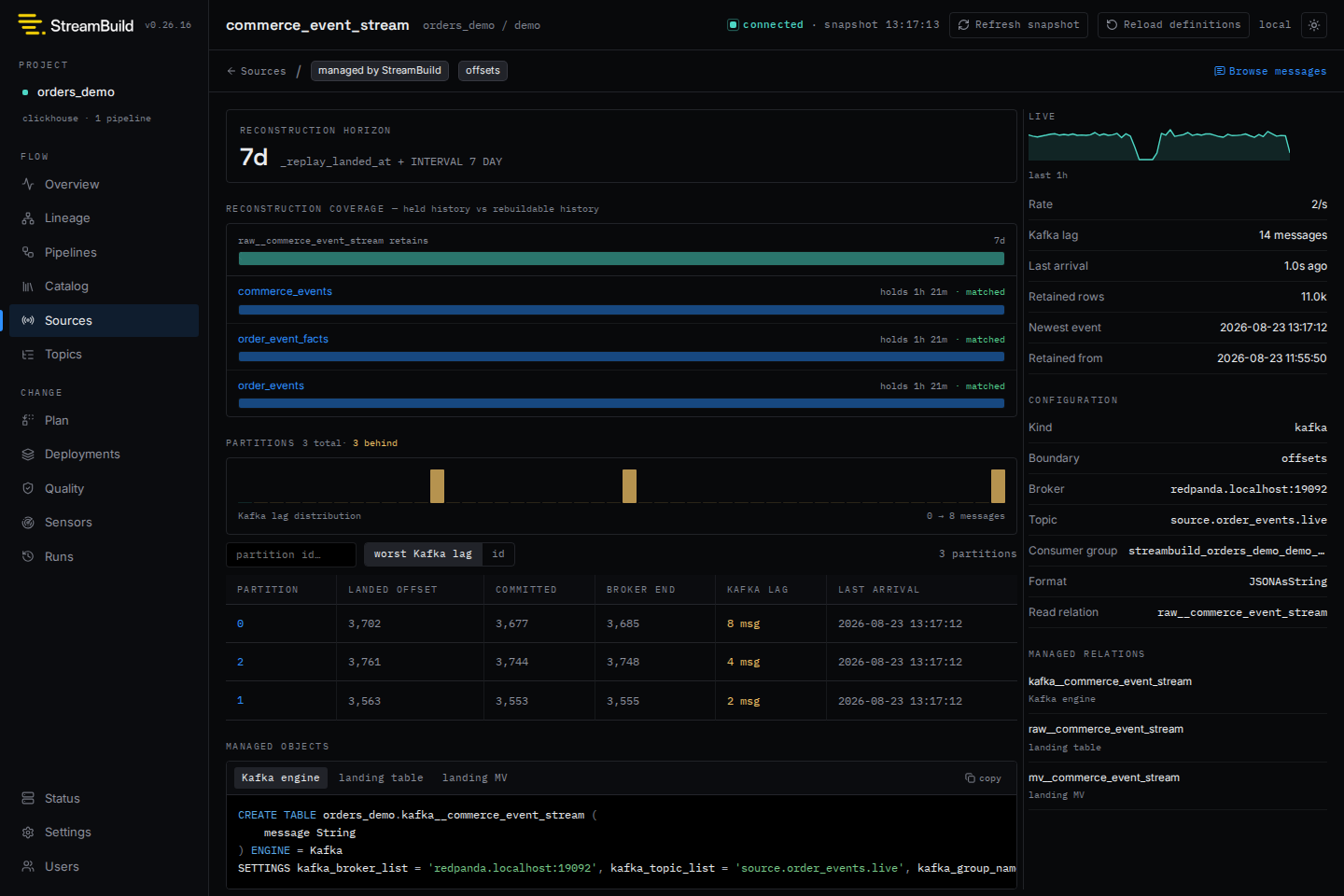
commerce_kpis query-only view has no physical freshness measurement, so the UI marks
its status as unknown rather than falsely calling it stalled.
With make dev still running, execute the repeatable full-stack acceptance checks:
Demonstrate warning and recovery
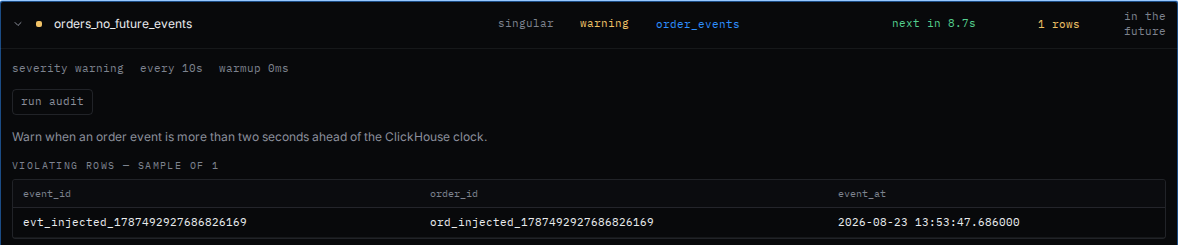
Keepmake dev running. In a second terminal, inject one event 30 seconds into the future:
orders_no_future_events audit has a ten-second cadence, matching the scheduler polling loop. It
records one sampled warning row, links
back to order_events, and triggers the local-only ConsoleNotifier:
FUTURE_EVENT_SECONDS in .env to lengthen the observation
window.