

stb plan. Select a model
or pipeline to see the downstream closure, relation mutations, replay window, source coverage, and
applicable safeguards before any warehouse write occurs.
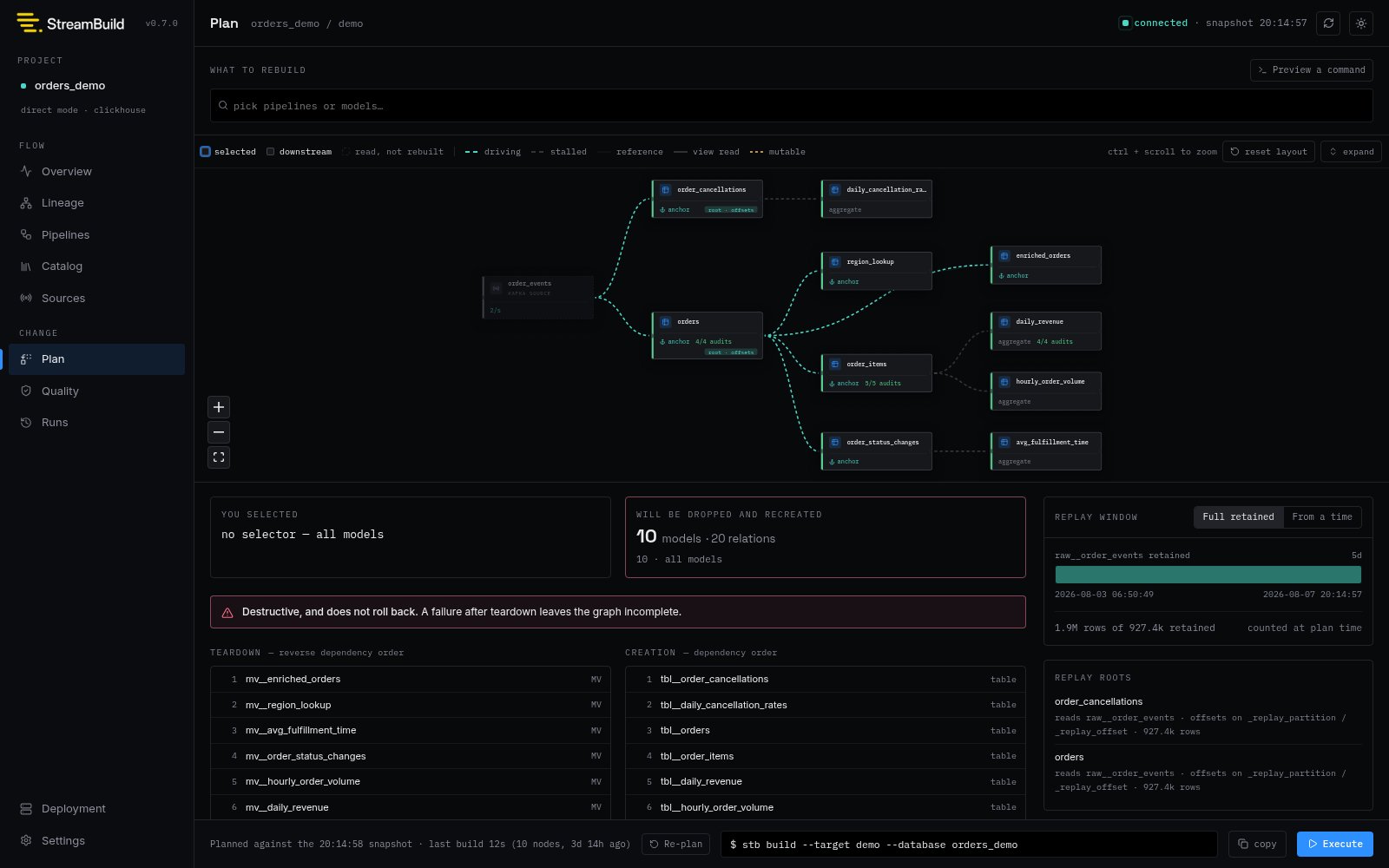
Launch a build
For direct-mode projects, the UI can launch the resolved plan through the samestb build --auto-approve --events execution path as the CLI. Protected pipelines still require
their exact configured confirmation values.
The displayed plan is a snapshot, not a lock. StreamBuild performs a fresh command invocation for
the build, records its own warehouse evidence, and never executes SQL copied from an older plan.
Virtual builds remain staged deployments and use the explicit deployment lifecycle commands for
inventory, assessment, comparison, promotion, and rollback. See
Virtual Environments.
Run history
The Runs view reads durable invocation, node-result, and statement-event metadata. Open a run to inspect its command, selection, outcome, duration, node results, and ordered statement progress.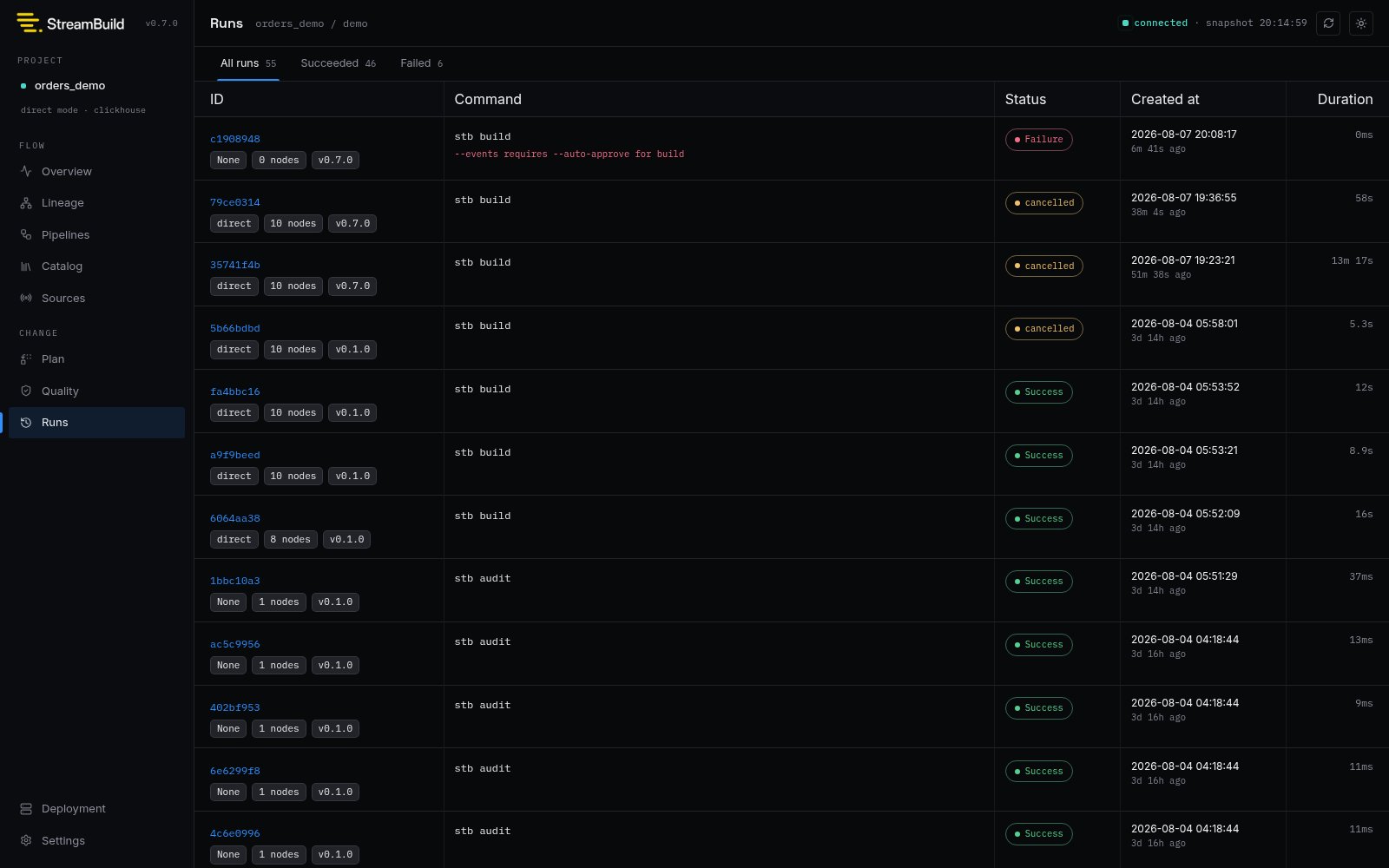
These are derived display states rather than persisted outcomes. They can reverse if a delayed
heartbeat or terminal event arrives.
Cancellation and recovery
The dev server can gracefully cancel only the active build child process that it launched. If that does not finish, the UI can force-stop the owned child. Builds started in another terminal and orphaned runs remain visible but cannot be signalled by the current server. Recovery is always a freshstb build invocation. StreamBuild does not resume a partially completed
run or treat the UI history as executable state.