> ## Documentation Index
> Fetch the complete documentation index at: https://docs.streambuild.dev/llms.txt
> Use this file to discover all available pages before exploring further.
# Development UI
> Explore one StreamBuild project and its live ClickHouse target in a local web UI.
Start the UI from a project directory or point it at a project explicitly:
```bash theme={null}
stb dev
stb dev --project-dir examples/orders_demo
```
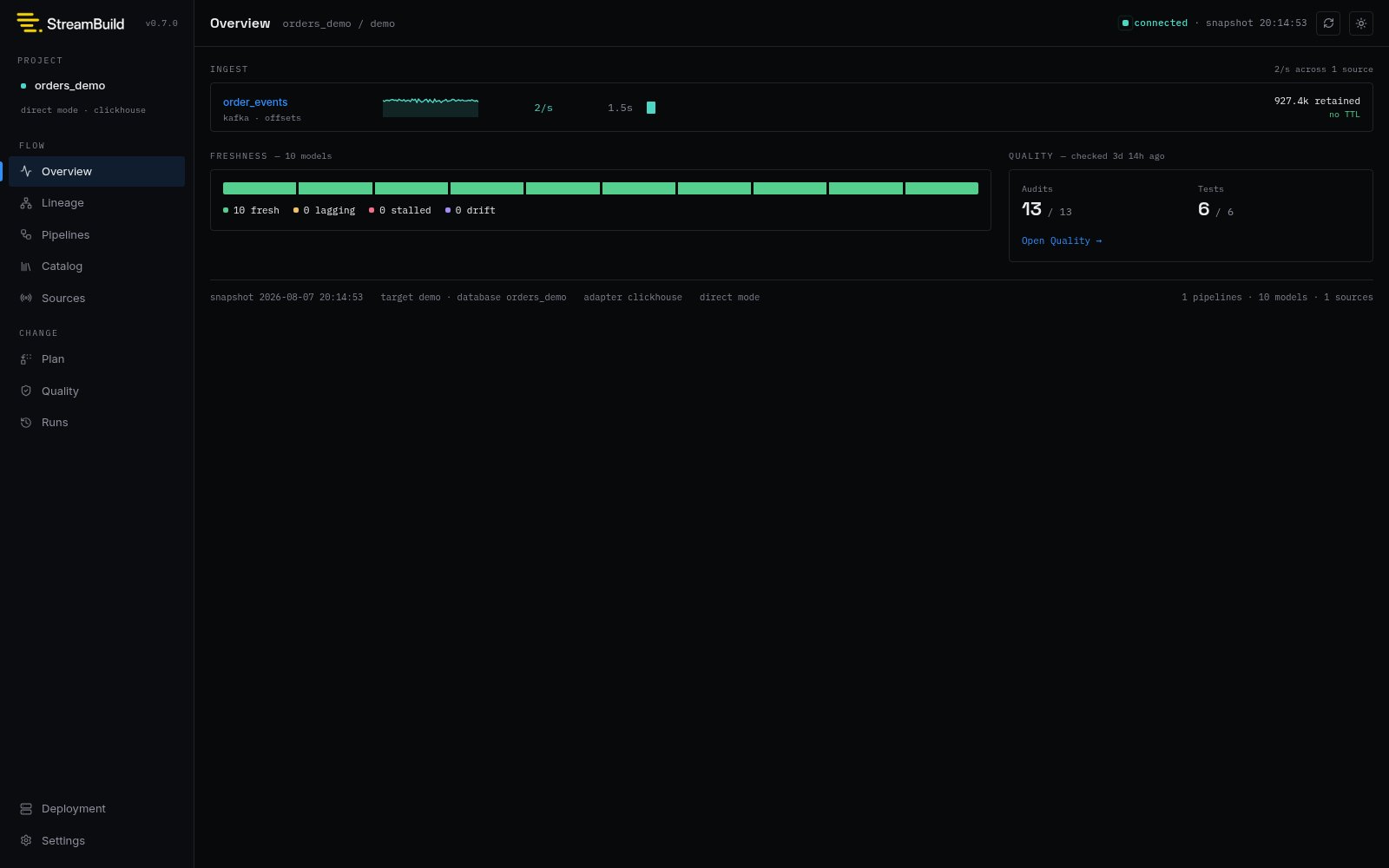
Open `http://127.0.0.1:8000`. The server compiles the selected project, connects to its resolved
ClickHouse target, and combines authored definitions with live warehouse evidence. The header shows
the project and target, connection state, and the time of the current warehouse snapshot. StreamBuild
refreshes live state periodically, and the refresh button requests a new snapshot immediately.
 ## Find the right view
| View | Use it for |
| ---------- | ------------------------------------------------------------------------------ |
| Overview | Source health, model state, quality summary, and recent activity |
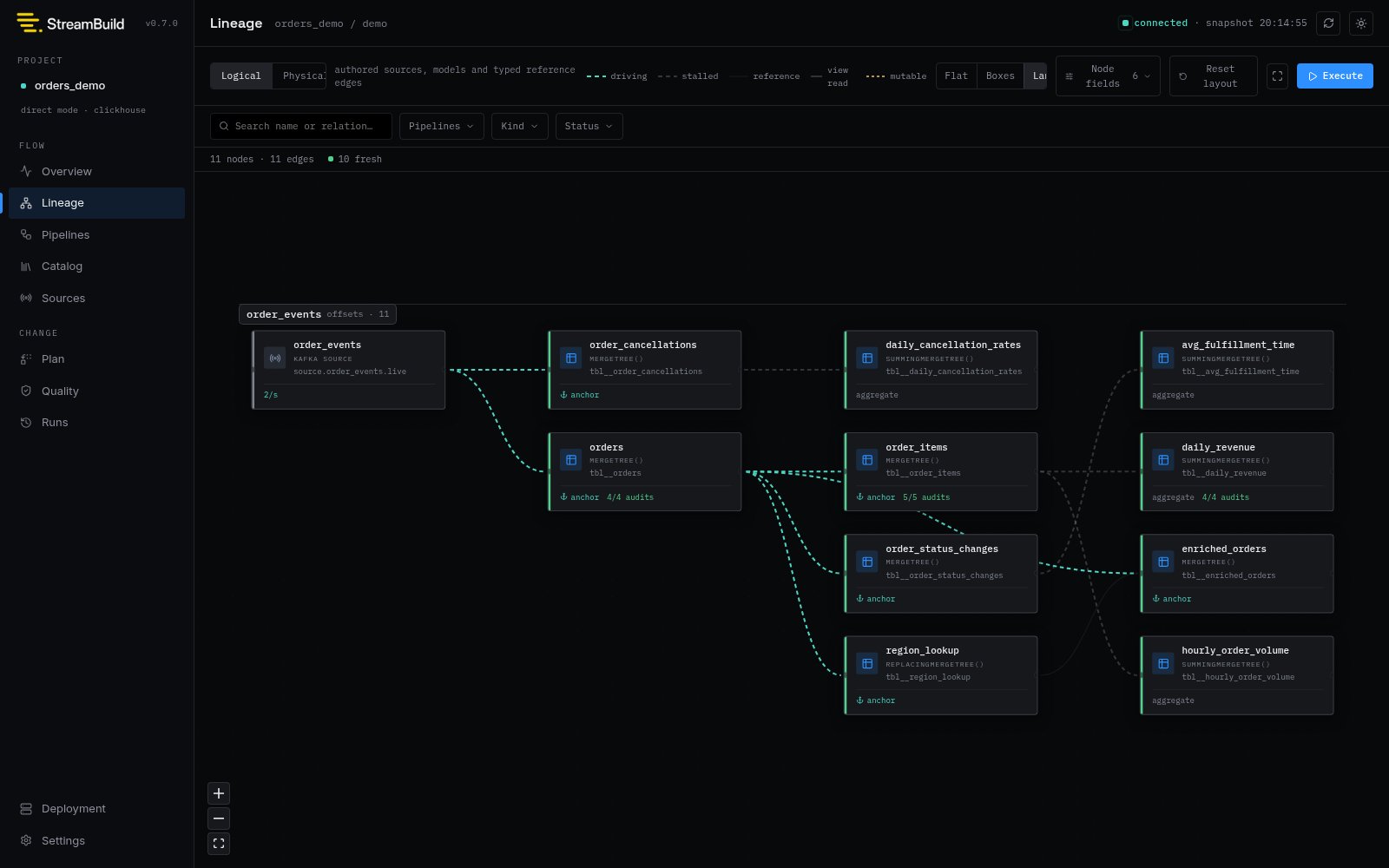
| Lineage | The complete source-to-model graph and driving or reference edges |
| Pipelines | Pipeline-scoped definitions and lineage |
| Catalog | Searchable model relations, schemas, storage, and replay facts |
| Sources | Landing retention, throughput, freshness, and partition-level Kafka lag |
| Topics | Managed topics or the wider broker inventory |
| Plan | Preview and launch a direct rebuild from model or pipeline selectors |
| Quality | Inspect and run SQL tests and audits, including scheduler state |
| Runs | Durable invocation and statement history with owned-build cancellation |
| Deployment | Project compilation, warehouse connection, and definition counts |
| Settings | Read-only effective project, target, connection, naming, variables, and macros |
## Find the right view
| View | Use it for |
| ---------- | ------------------------------------------------------------------------------ |
| Overview | Source health, model state, quality summary, and recent activity |
| Lineage | The complete source-to-model graph and driving or reference edges |
| Pipelines | Pipeline-scoped definitions and lineage |
| Catalog | Searchable model relations, schemas, storage, and replay facts |
| Sources | Landing retention, throughput, freshness, and partition-level Kafka lag |
| Topics | Managed topics or the wider broker inventory |
| Plan | Preview and launch a direct rebuild from model or pipeline selectors |
| Quality | Inspect and run SQL tests and audits, including scheduler state |
| Runs | Durable invocation and statement history with owned-build cancellation |
| Deployment | Project compilation, warehouse connection, and definition counts |
| Settings | Read-only effective project, target, connection, naming, variables, and macros |
 ## Operating model
The UI serves one resolved project and target per `stb dev` process. Configuration remains owned by
`streambuild_project.toml` and `streambuild_local.toml`; Settings displays the effective values but
does not edit them.
The Plan workflow can execute direct-mode builds through the same StreamBuild command path used by
the CLI. Virtual deployment inventory, audit, diff, promotion, rollback, repair, and cleanup remain
explicit CLI operations. See [Virtual Environments](/concepts/deployments).
`stb dev` is a local development surface, not a multi-user control plane. Keep the default loopback
binding unless you intentionally provide network access controls.
## Next steps
Trace ingestion, lag, topics, and retained records.
Preview changes, launch builds, and inspect execution.
Run tests and audits and understand scheduler state.
## Operating model
The UI serves one resolved project and target per `stb dev` process. Configuration remains owned by
`streambuild_project.toml` and `streambuild_local.toml`; Settings displays the effective values but
does not edit them.
The Plan workflow can execute direct-mode builds through the same StreamBuild command path used by
the CLI. Virtual deployment inventory, audit, diff, promotion, rollback, repair, and cleanup remain
explicit CLI operations. See [Virtual Environments](/concepts/deployments).
`stb dev` is a local development surface, not a multi-user control plane. Keep the default loopback
binding unless you intentionally provide network access controls.
## Next steps
Trace ingestion, lag, topics, and retained records.
Preview changes, launch builds, and inspect execution.
Run tests and audits and understand scheduler state.